Camera Recordings in Tempo Kit 2.0: Review and Keep Your Takes
Tempo Kit 2.0 can record a camera take as well as audio, so you can review what you played and how you played it. Record, preview, play back, and download a take on Free; saving it inside Tempo Kit requires Pro.
3 min read
Hear and See the Same Take
Turn on the camera in Recordings or from the Journal record disc. A live mirrored preview helps you frame the shot while you play; the take keeps the picture for playback. Watching your hands, posture, and timing can reveal details that an audio take alone might miss.
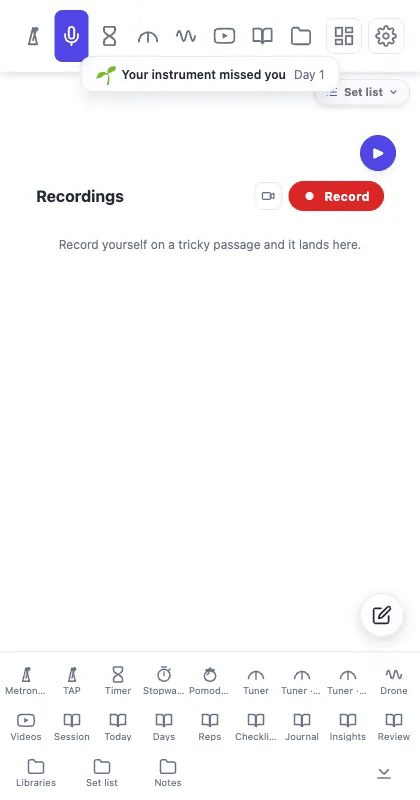
- Pick one passage: Record a short, specific attempt so the review has a clear question.
- Play it back: Listen first, then watch for movement or timing that explains what you heard.
- Keep what matters: Download the take on Free, or save it in Tempo Kit with a name, tags, links, and notes on Pro.
Keep a Take with Your Practice
Pro saved takes can be found with their practice session in the Journal and opened in the Tempo Kit web player. Keep a take with the score and lesson sources for that piece in a practice preset. On supported Chromium browsers, Pro can also copy saved takes into a folder you choose on your computer. That folder copy depends on browser support, so use Download or a complete backup when you need a portable copy.
For a broader listening method, read why recording yourself helps. To organize the session around that take, see the Tempo Kit 2.0 Journal guide.
Or skip the setup and practice in one panel
Tempo Kit puts the metronome, tuner, drone, timer, and the video controls in a single browser side panel beside whatever you're learning, and logs the session for you while you play. Free core tools, no account.
Keep reading
Free Online Metronome for Music Practice
A metronome you can use on this page right now, plus what to look for in one (subdivisions, accents, tempo ramps) and why a browser tab is a bad place to keep it.
Browser Guitar Tuner: Setup and Troubleshooting
How browser tuners work, why yours reads the wrong string, and what to do when the note is right but the chord still sounds wrong.
How to Read a Tuner: Which Way to Turn
The number, the needle, and the note name: what each one is telling you, and how to know whether you are sharp or flat without guessing.
Metronome BPM Chart: Tempo Markings Explained
Largo to prestissimo with real BPM ranges, the modifiers that bend them, and a metronome on the page so you can hear any tempo you just read about.
Tempo Kit 2.0: Custom Dashboards, Widgets, Pomodoro & Full-Screen Practice
Build your own practice workspace in the side panel or Dashboard. Arrange 22 widgets, create pages for different routines, count reps, run focus cycles, and give individual tools the whole screen.
Keep Sheet Music and Practice Sources in Tempo Kit Presets
Attach scores, lesson links, and backing tracks to a preset alongside your practice setup.