Tempo Kit 2.0 Practice Journal: Sessions, Checklists, and Review
The Tempo Kit 2.0 Practice Journal brings your sessions, notes, checklists, and recordings closer together. Record what happened, review it later, and carry one useful intention into tomorrow.
3 min read
Start with the Session
The running session stays reachable across tabs, with a control to pause or resume it. Auto-log can capture practice from supported tools and link the session to the preset you used. You can also start or add an entry yourself, then edit its details. Merely opening a Dashboard does not start a journal session.
Make the Next Session Easier
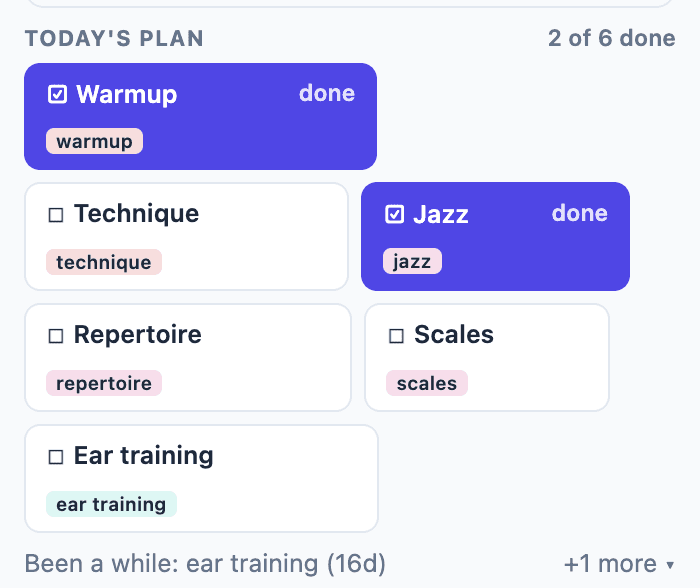
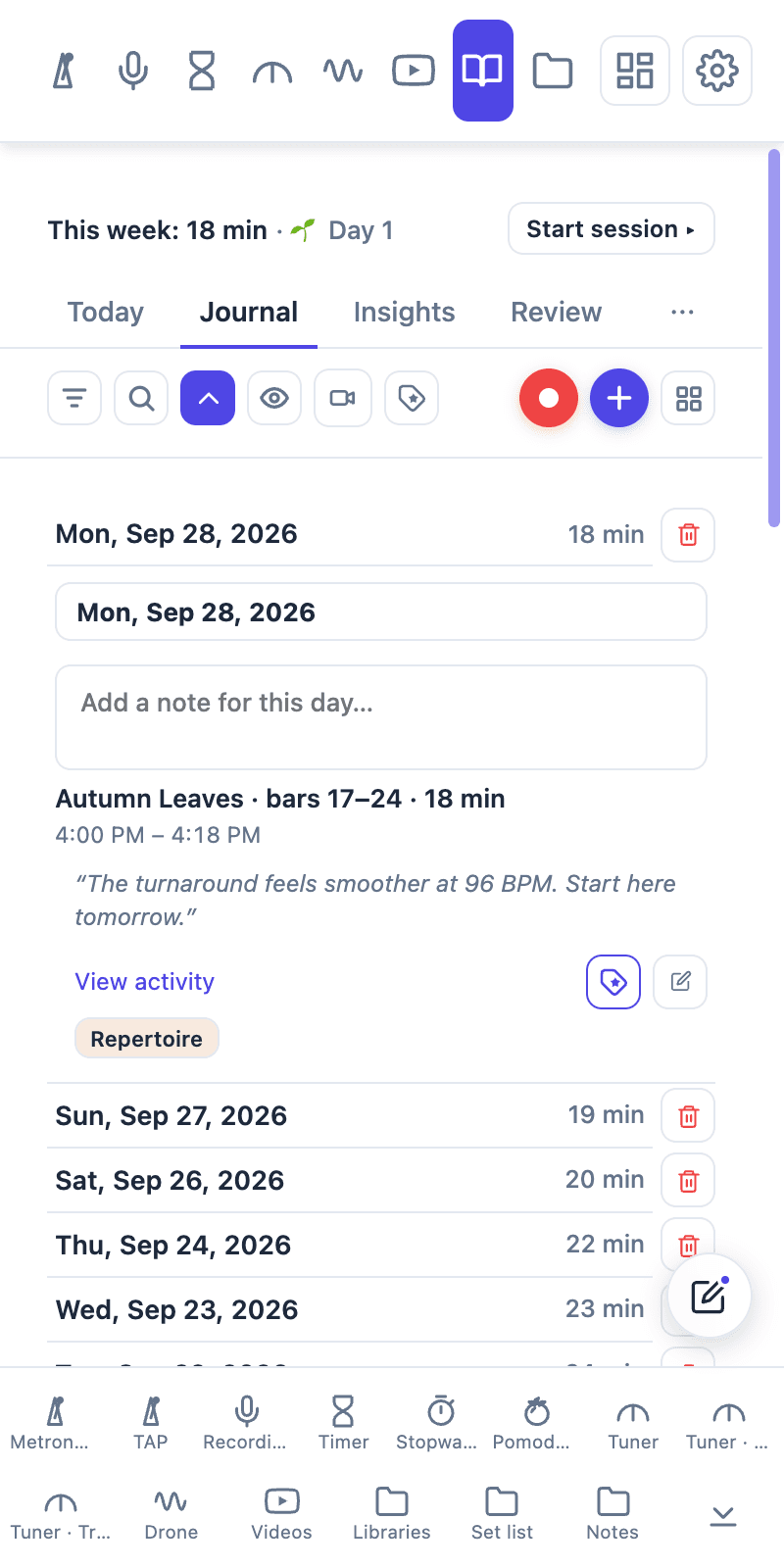
The Today card can carry a note for next time into tomorrow. A practice checklist helps you tick through a routine and add a snapshot to the Journal. Use the rep counter for a measurable drill, then put the outcome or next adjustment in the session note. A saved camera take can stay with the practice it documents on Pro. When you return to the same piece, load its score and starting setup from a Tempo Kit preset.
- Choose a goal: Write one passage, technique, or question for the session.
- Practice and capture: Use the session clock, checklist, reps, or a short recording as needed.
- Review one result: Note what improved and what to try next time.
Review and Keep Your History
Search and filter entries to find a piece or practice period. Weekly Review and exports are available on Free; Pro opens the longer history window and monthly and yearly Reviews. Journal export lives in Settings alongside the other backups. A data-only JSON export does not include recording media, so choose the complete backup when you need your saved takes too.
Or skip the setup and practice in one panel
Tempo Kit puts the metronome, tuner, drone, timer, and the video controls in a single browser side panel beside whatever you're learning, and logs the session for you while you play. Free core tools, no account.
Keep reading
Free Online Metronome for Music Practice
A metronome you can use on this page right now, plus what to look for in one (subdivisions, accents, tempo ramps) and why a browser tab is a bad place to keep it.
Browser Guitar Tuner: Setup and Troubleshooting
How browser tuners work, why yours reads the wrong string, and what to do when the note is right but the chord still sounds wrong.
How to Read a Tuner: Which Way to Turn
The number, the needle, and the note name: what each one is telling you, and how to know whether you are sharp or flat without guessing.
Metronome BPM Chart: Tempo Markings Explained
Largo to prestissimo with real BPM ranges, the modifiers that bend them, and a metronome on the page so you can hear any tempo you just read about.
Tempo Kit 2.0: Custom Dashboards, Widgets, Pomodoro & Full-Screen Practice
Build your own practice workspace in the side panel or Dashboard. Arrange 22 widgets, create pages for different routines, count reps, run focus cycles, and give individual tools the whole screen.
Camera Recordings in Tempo Kit 2.0: Review and Keep Your Takes
Record a camera take, play it back, download it, and keep useful recordings with your practice.