Perfecting Intonation with the Tuner and Metronome Widget Combo
Good intonation isn't just about tuning open strings before you start playing. It's about maintaining pitch accuracy across the entire fingerboard while keeping time. Here's how to use the new widget combinations in TempoKit 2.0 to practice both at once.
5 min read
The Problem with Separate Tools
Traditionally, you might use a tuner to check your intonation, and then switch to a metronome to practice your timing. The problem is that intonation issues often arise exactly when you're focusing hard on rhythm or playing at speed.
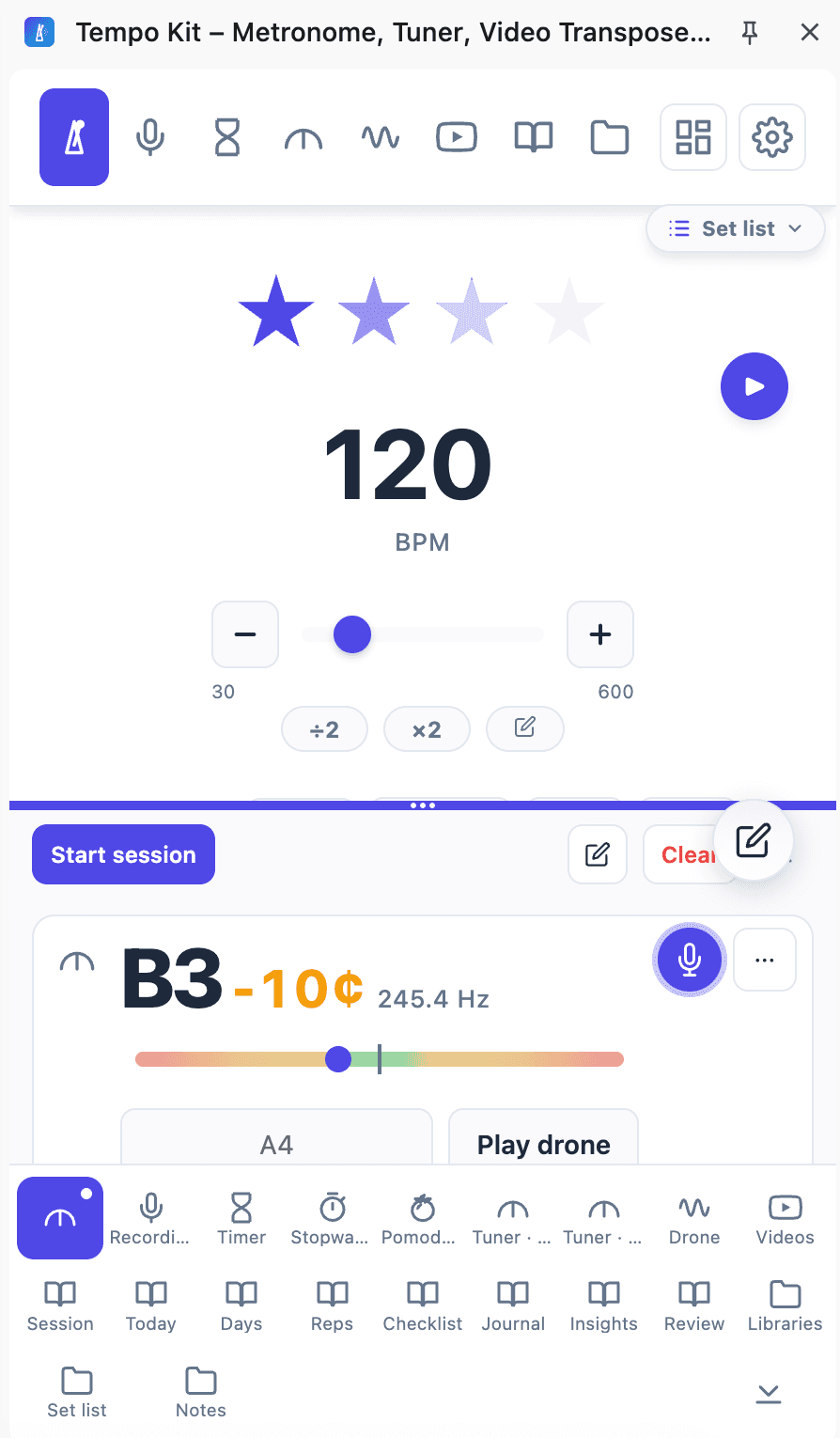
With the new TempoKit 2.0 widgets, you don't have to choose. You can stack the tuner and metronome right next to each other in your browser side panel.
Setting Up the Combo
- Open your widgets: In the TempoKit side panel, ensure both the Tuner and Metronome widgets are visible and expanded.
- Set a slow tempo: Start with a slow click (e.g., 60 BPM). Slow practice gives you the necessary reaction time to adjust your pitch.
- Play scales or long tones:As you play each note to the click, keep one eye on the tuner's cents readout.
- Adjust your technique:If you're consistently sharp, you might be pressing too hard. If you're flat, your finger placement might be slightly behind the fret.
Time Management with Mini Controls
Intonation practice requires intense focus, which means you shouldn't do it for hours on end. This is where the new time management tools come in.
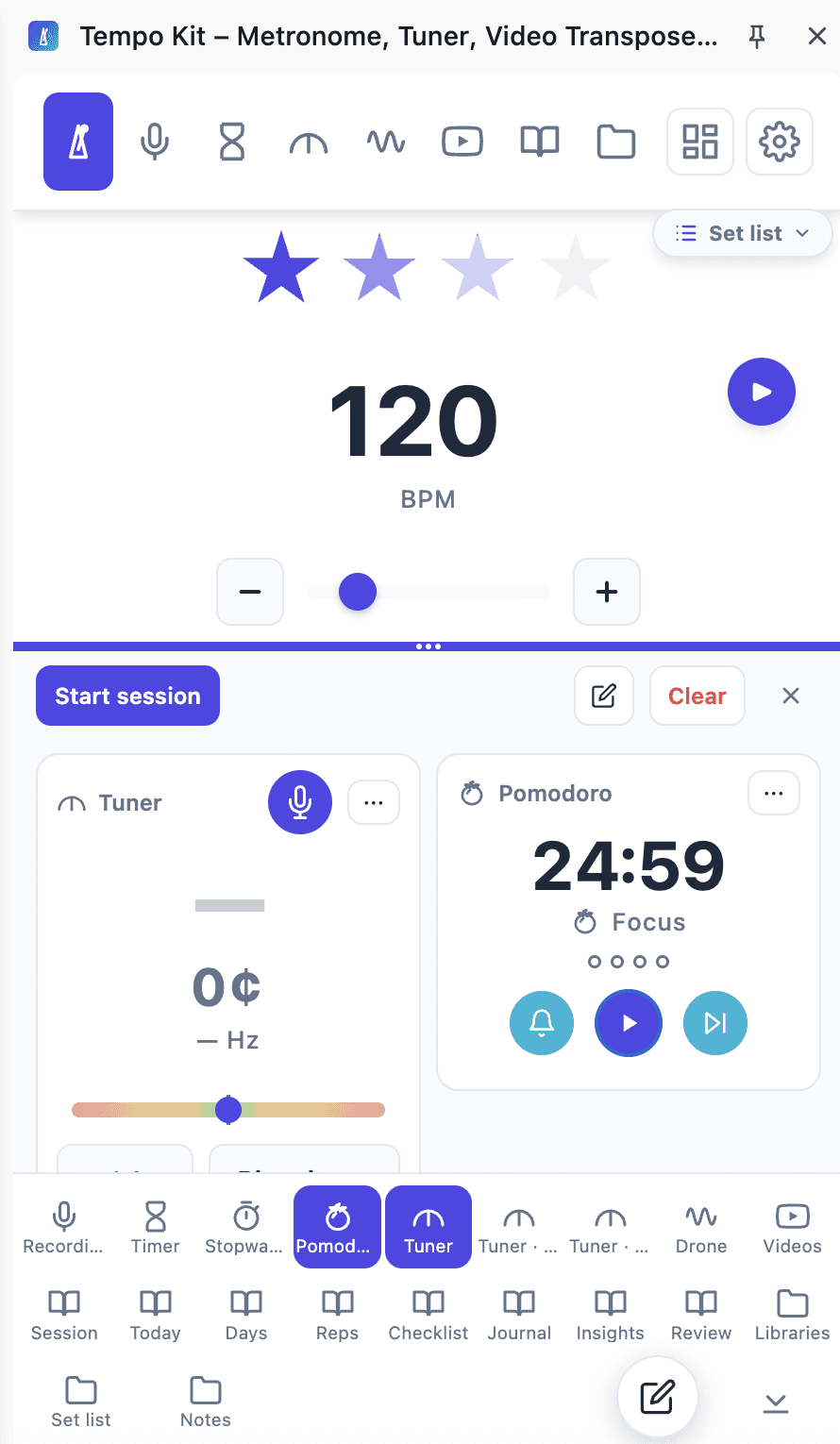
Use the built-in timer or Pomodoro widget to set a strict 10 or 15-minute window for this exercise. Once the timer is running, you can collapse the main widgets and use the mini controls to keep the metronome and timer visible without distraction.
Practicing with a Drone
For the ultimate intonation workout, combine the metronome with a drone note from the tuner. This forces your ear to do the work instead of relying solely on the visual feedback of the needle.
Set the drone to the root note of the key you're playing in. As you play your scale to the metronome click, listen for the “beats” or wobbles that occur when your fretted note clashes with the perfect pitch of the drone. Check out our full guide on practicing with a drone for more details. For a visual check across several target pitches, use the tuner’s Notes view.
Or skip the setup and practice in one panel
Tempo Kit puts the metronome, tuner, drone, timer, and the video controls in a single browser side panel beside whatever you're learning, and logs the session for you while you play. Free core tools, no account.
Keep reading
“How Long Have You Been Playing?” Honestly, I’m Not Sure How to Count.
Ten-plus years of guitar, with breaks. Why years played, practice time, capacity, and musical goals tell different parts of the story.
How to practice with a Drone for Better Intonation
The oldest intonation tool there is, and the one most people skip. Tune your guitar to it by ear, practice scales over it, and hear every note against something fixed.
How to Practice With a Metronome
Where to set the click, when to move it up, why you keep losing it, and the muted-strings trick that trains timing before technique gets in the way.
Why Slow Practice Works
Speed is a by-product of accuracy, not a separate skill. What slow practice is actually doing to your playing, how slow to go, and how to climb back up.
How Long Should You Practice Every Day?
The honest answer: less than you think, more often than you're managing. What focused time buys you at each level, and what to do with a five-minute day.
How to Build a Consistent Practice Routine
Routines don't fail from laziness. They fail from setup friction and a fried brain at 9pm. Here's how to build one that survives a long day.